




Rodeoslot Login
Once you complete the Rodeoslot login, the whole casino is right there. Your payment history and active bonuses are stored in one place. Registration takes a few seconds, and then your account automatically syncs across desktop and mobile. Users switch devices and pick up right where they left off anytime.



Rodeoslot Registration
After registering, you can play for real money and join live dealer tables. All our users receive a generous bonus from Rodeoslot Casino credited to their account upon sign-up to help them learn the games. Your profile also displays your transaction history and responsible gaming tools.
How to Change Data in Profile
At Rodeoslot Casino, you can update your personal information, such as your email address or password, at any time in your account settings. To access all account features, you need to register.
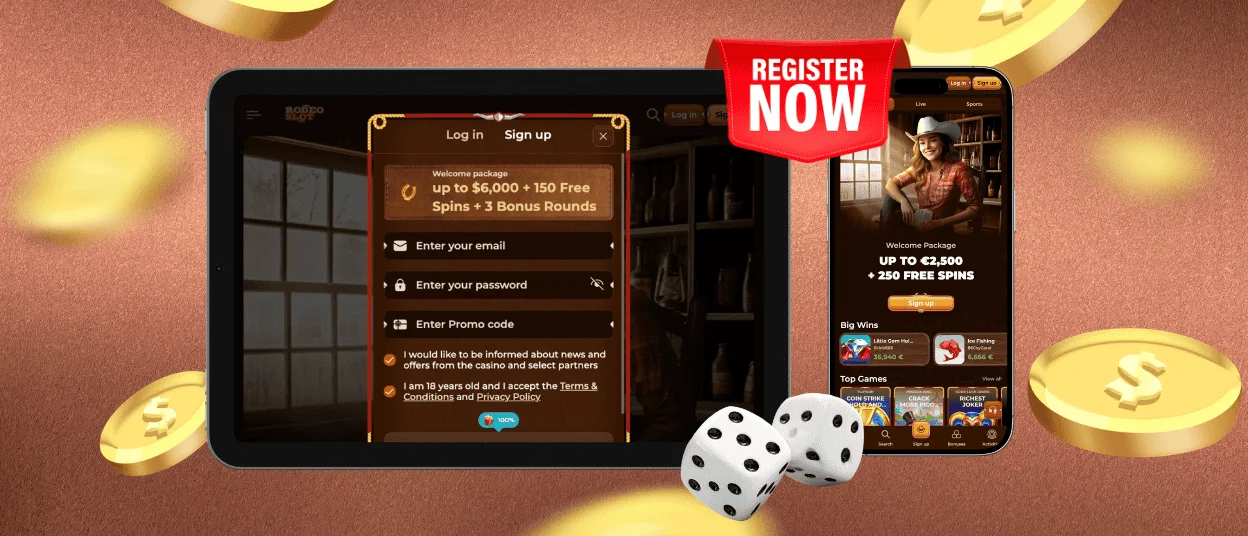
To begin the registration process:
- First, you need to click on “Sign Up” on the Rodeoslot homepage.
- Then, you should type in your email address and choose a password.
- Then, you have to confirm you’re at least 18 and agree to the terms.
- After that, you are supposed to check your inbox for a confirmation email and click the activation link.
Rodeoslot Login Process
Rodeoslot login takes just a moment. To log in, all users have to do is click “Log In” and type in their email and password. Once you’ve logged in, your Rodeoslot dashboard is your command center. There, you can:
- Check your balance
- Make deposits and withdrawals
- Activate bonuses
- Join tournaments
- Review your history
- Update your profile
- Set responsible gaming limits
If you ever forget your password, click “Forgot Password?” on the Rodeoslot login page, follow the link sent to your email, and set a new one in minutes.
Mobile and Desktop Login Difference
Both have their uses: the mobile version is about speed and portability, the desktop version is about overview and control. Rodeo Slot login is the same on both platforms, it just requires an email address and a password. Users can choose what is most convenient at the time.
The user interaction is a little different at Rodeoslot Casino. Here’s how they compare:
| Aspect | Mobile Login | Desktop Login |
| Access | Browser or PWA. | Browser or desktop shortcut. |
| Input Method | Touchscreen typing and auto-fill are supported. | Typing on the keyboard. |
| Session Persistence | Stays logged in longer if you enable “remember me”. | Logs out sooner for security. |
| Security Prompts | Fingerprint/Face Biometric, authentication and 2FA | Password + optional two-factor authentication. |
| Post-Login Experience | Optimized for quick navigation with thumb-friendly menus. | Full dashboard view with more information available at once |
Rodeo Slot Verification Procedure
Before you can make your first withdrawal, Rodeo Slot Casino requires a standard verification process that is called KYC (Know Your Customer). It’s there to confirm your identity and to make sure your winnings go to the right person. In your account, you should upload proof of identity, address, and payment method.
Once submitted, the team at Rodeoslot Casino reviews everything. Most verifications are completed within a few hours to 48 hours, depending on how clear the documents are. Submitting everything correctly the first time speeds things up considerably.
FAQ
How do I close or temporarily suspend my account?
You can do it in the “Responsible Gaming” section in your Rodeoslot account. There, you can choose a temporary block or permanent self-exclusion. If you need a short break, you can select a cooling-off period. If you need help with this question, contact our multilingual support team.
Why do I have to log in again after closing the browser?
You don’t have to do this if you check the “Remember Me” box when logging in; your Rodeo Slot login information will be saved. But sometimes the system will log you out automatically as a security measure, particularly after an extended period of inactivity. This is a normal step to protect your account on shared or public devices. If this happens more often, check your browser settings and make sure you are not automatically deleting cookies.
What if my account gets locked?
If your Rodeoslot account is locked, contact our support team for assistance. You can use live chat or email. Our professionals will confirm your identity and help you to restore access. Accounts may be locked as a security measure, for example, if there have been too many failed login attempts.


